Quick Answer
A face shape detector is useful when you want a quick starting point from a clear front-facing photo. It usually works by reading visible proportions such as face length, cheekbone width, jaw width, forehead width, and chin shape. The result is a styling guide, not a medical or identity label.
For the most reliable result, use even lighting, keep the camera level, pull hair away from the face, and avoid tilted selfies. BeautySpire’s face analysis is designed around privacy: your photo is processed in your browser for the visual analysis, and the tool is meant to help you choose better hairstyle guidance without turning your image into public content.
Key Takeaways
- A detector gives a fast first answer, not a permanent label.
- Photo angle, lighting, hair placement, and camera distance can change the result.
- The most useful detector results explain proportions, not only a face shape name.
- Use the BeautySpire tool first, then verify with manual measurement if the result feels unclear.
- Privacy matters: avoid tools that require unnecessary uploads or public image sharing.
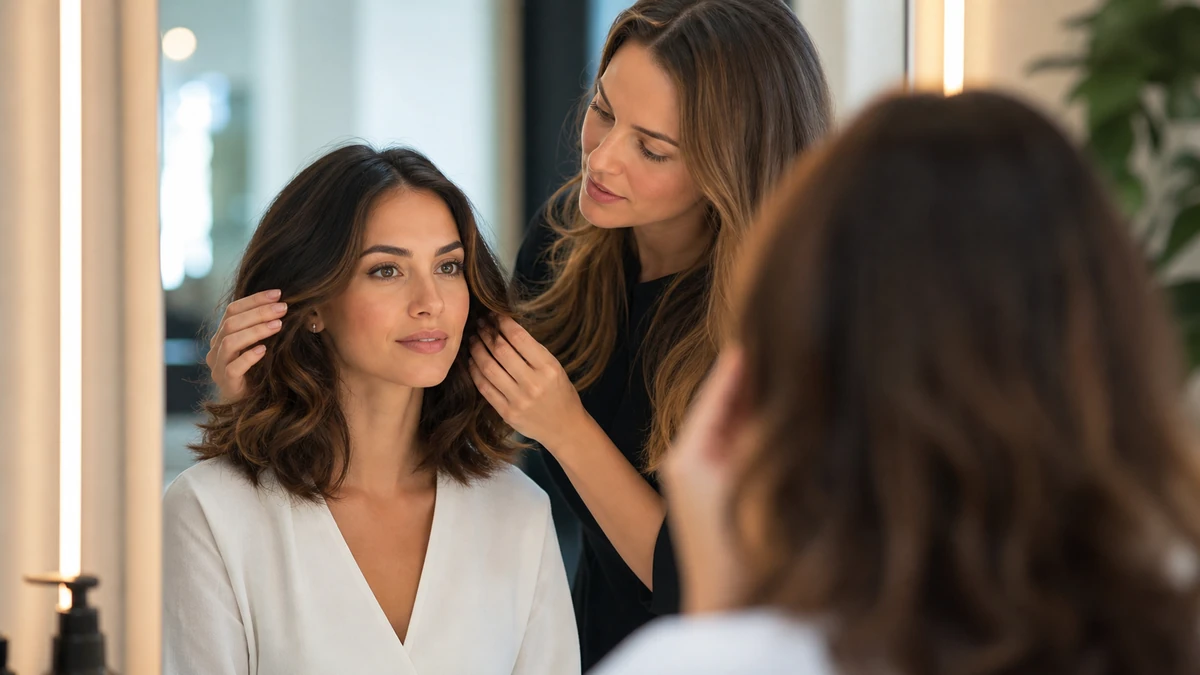
Face Shape Detector Guide: How Online Tools Analyze Your Features focuses on what happens when a tool reads your proportions from a photo. It explains why camera angle, lighting, hair placement, and visible facial landmarks can change the result, so you can use the detector as a smart styling clue rather than a final verdict.
If you want to test your own photo, use the free BeautySpire AI Face Tool and then compare the result with the guidance below. This detector-focused article explains photo quality, privacy, accuracy, and next steps, while the American Academy of Dermatology offers practical healthy hair care tips before any major color or haircut change.
How do face shape detectors work?
Most face shape detectors compare visible proportions. They look at whether the face is longer than it is wide, whether the cheekbones are the widest point, whether the jawline is soft or angular, and whether the forehead is wider than the chin. A detector may use facial landmarks or simpler measurement logic, but the styling idea is the same: translate proportions into a useful haircut starting point.
The best result is not just “oval” or “round.” The best result helps you understand why a cut should add height, soften the jaw, create width near the chin, or avoid extra length.
What photo gives the most accurate detector result?
- Use a straight-on photo with the camera at eye level.
- Pull hair away from the forehead, cheeks, and jawline.
- Use soft daylight or even indoor lighting.
- Keep your expression relaxed so the jaw and cheeks are not distorted.
- Avoid beauty filters, wide-angle selfies, and photos taken from above.
If two photos give different results, retake the photo before changing your haircut plan. A better photo often solves the problem.
Face Shape Detector Guide comparison table
| Detector issue | Likely cause | What to do next |
|---|---|---|
| Result changes between round and square | Jawline is partly hidden or photo angle is tilted | Retake with hair pulled back and compare jaw softness |
| Result changes between oval and long | Camera distance may stretch or shorten the face | Use a level camera and compare face length to cheek width |
| Result changes between heart and diamond | Forehead or cheekbone width is hard to see | Clear hair from temples and check whether cheekbones are widest |
| Result feels wrong | Lighting, bangs, or facial angle may hide proportions | Use a second photo and confirm with the face shape guide |
How should you use a detector result?
Use the detector as the first step, then make the styling decision with common sense. If the tool says round, look for cuts that create length and gentle structure. If it says square, focus on softness around the jaw. If it says long or oblong, look for width and bangs. If the result sits between two shapes, choose the hairstyle advice that solves the more visible balance issue.
Example scenario
A user uploads a tilted selfie and gets “round.” She retakes the photo with the camera level, hair pulled back, and softer lighting. The result changes to “square” because the jawline is more visible. That second result is more useful because it points toward soft layers, side movement, and avoiding blunt jaw-length lines.
Common face shape detector mistakes
- Using a tilted selfie: the camera can make the face look shorter, wider, or longer than it is.
- Covering the hairline or jaw: bangs and loose hair hide the exact features the detector needs.
- Treating one result as final: one photo is not enough if the answer feels off.
- Ignoring the styling goal: a detector label is only useful if it leads to better haircut choices.
What can a detector not tell you?
A detector cannot know your hair density, curl pattern, styling time, personality, or salon budget. It also cannot guarantee that one celebrity haircut will work on you. Use the result as a direction, then adjust the haircut for texture, maintenance, and how you actually wear your hair.
Related Guides
- Face Shape Guide
- Free BeautySpire AI Face Tool
- AAD healthy hair care tips
- Best Hairstyles for Oval Faces
- Best Hairstyles for Square Faces
- Best Hairstyles for Diamond Faces
- Short Haircuts for Round Faces
- Hair Color Chart
Author Bio
Written by the BeautySpire editorial team for readers who want to use online beauty tools thoughtfully, protect photo privacy, and translate detector results into practical hairstyle choices.
Try the Free BeautySpire Tool
Ready to check your result with a clear photo? Open the free BeautySpire AI Face Tool, then use this detector guide to interpret what the result means.
FAQ
How accurate is a face shape detector?
A detector can give a helpful starting point when the photo is clear, front-facing, and well lit. It is less reliable with tilted selfies, covered hairlines, strong shadows, or filters.
What photo should I use for a face shape analyzer?
Use a straight-on photo at eye level with hair pulled away from your forehead, cheeks, and jawline. Avoid wide-angle selfies and dramatic lighting.
Does BeautySpire upload my face photo?
BeautySpire is designed around privacy-first analysis. The visual face analysis runs in your browser, so your photo is not treated like public content or a social upload.
Why do different face shape tools give different answers?
Small changes in angle, lighting, hair placement, and landmark detection can shift the result. Retake the photo and look for the repeated pattern.
Can a detector tell me the best haircut?
It can suggest a useful direction, but the final haircut should also consider texture, density, maintenance, and personal style.
What should I do if my result seems wrong?
Retake the photo with better lighting and a level camera, then compare the result with the Face Shape Guide before choosing a haircut.
Is a face shape detector better than measuring manually?
It is faster, but manual measuring helps you understand why the result appears. Use both if you are unsure.
Can I use the detector before a salon appointment?
Yes. Save your likely result and bring one or two hairstyle references so your stylist can adapt the shape advice to your real hair.